Free Chrome extension

Unlatch

Copy & paste, unblocked.

Turns copy, paste, text selection and right-click back on for websites that block them, only on the sites you choose.

Coming soon to the Chrome Web StoreTry it here

No account. No ads. No tracking. Free forever.

Try it

This paragraph is locked.

The box on the right behaves like a site that blocks copying. Try to select the text or right-click it. Then flip the switch, the same one you get in Unlatch, and try again.

recipes.example.com/grandmas-dal

Weeknight dinners

Grandma’s yellow dal

Rinse a cup of toor dal until the water runs clear, then pressure-cook it with turmeric and a pinch of salt for four whistles. Finish with a tadka of ghee, cumin, garlic and dried red chillies, poured on while it still sizzles.
How to use it

Three steps. About five seconds.

  1. 1

    Open the site

    Go to the page that won’t let you select, copy, paste or right-click.

  2. 2

    Click the padlock

    Open Unlatch from the toolbar and switch on Unlock this site. An ON badge shows wherever it’s active.

  3. 3

    Carry on as normal

    Select, copy, paste and right-click. Or skip the menu entirely: Alt+Shift+U toggles the current site.

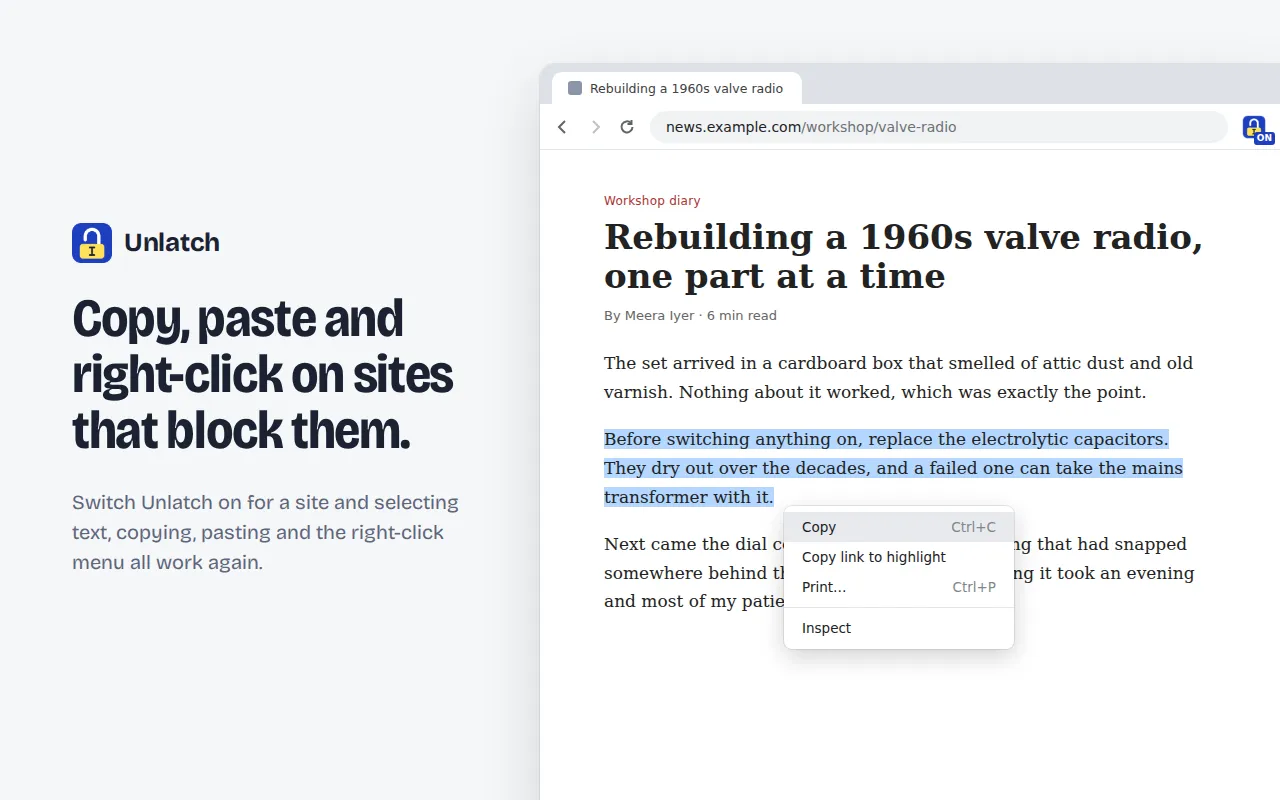
An article with text selected and the browser’s right-click menu open, with the Unlatch ON badge in the toolbar
Select and right-click on articles that block it.
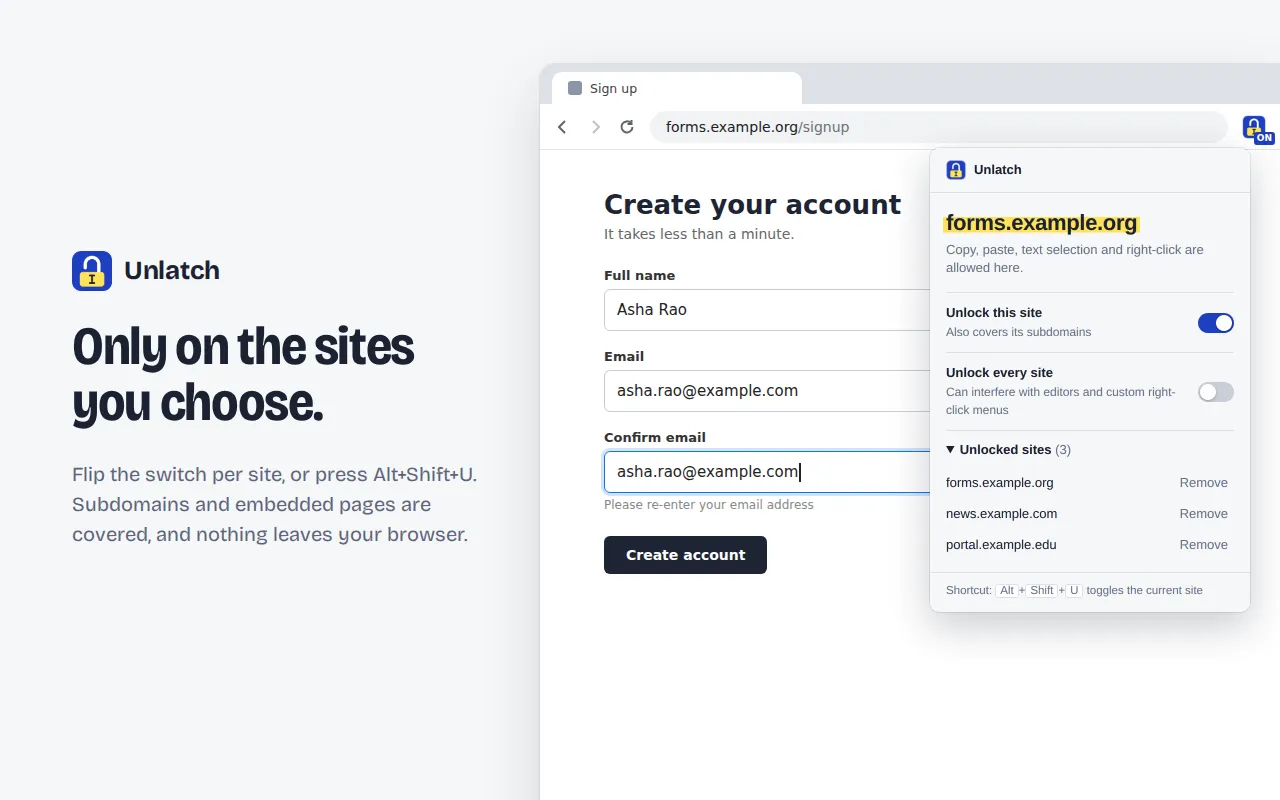
A sign-up form with an email pasted into the Confirm email field, and the Unlatch menu open listing three unlocked sites
Paste into “confirm email” fields that refuse it.

What it fixes

The everyday annoyances, gone.

  • Text you can’t select

    Pages that switch off highlighting with CSS or scripts, even with inline !important rules.

  • Copy, cut and paste that do nothing

    Blocked clipboard events go straight to the browser, so they just work.

  • Paste blocked in form fields

    Those “confirm your email” and password boxes that make you type it all twice.

  • Right-click disabled

    Including the “right-click is not allowed” pop-ups some sites throw at you.

  • Dead keyboard shortcuts

    Ctrl/Cmd + C, V, X and A, plus Shift + Insert, respond again.

  • Junk added to what you copy

    No more “Read more at…” tacked on to the end of your clipboard.

Only where you want it

Off until you switch it on.

Unlatch does nothing on a site until you unlock it. Unlocking example.com also covers its subdomains and any pages embedded in it. “Unlock every site” exists, but it’s off by default.

Private by design

Nothing leaves your browser.

No network requests, no analytics, no account. The list of sites you unlock is stored locally in Chrome and never sent anywhere. Read the privacy policy.

Questions

Good to know

Something else? Email unlatch@itskk.in and you’ll get a reply from the person who built it.

Is it really free?

Yes. Unlatch is completely free, with no ads, no premium tier, no account and no sign-up. It isn’t a trial.

Why does Chrome say it can “read and change data on all websites”?

You can unlock any site you like, so Chrome asks for access to all of them up front. Unlatch only runs on the sites you switch on, and it never reads, collects or sends page content anywhere. The code makes no network requests at all.

Does it work in Edge, Brave, Opera or Vivaldi?

Yes. It works in Chrome 111 or newer and other Chromium-based browsers that can install from the Chrome Web Store.

Why is “Unlock every site” off by default?

Web apps such as Google Docs, Figma and Notion have their own right-click menus and paste handling. Unlocking them swaps those for the browser’s, so it’s better to unlock only the sites that need it.

A site is still blocking copy. What now?

Click Reload page in the Unlatch menu once. If the text is drawn on a canvas, shown as an image, or covered by an invisible layer, it isn’t real text, and no extension can copy it as text.

Where are my settings stored?

In your own browser, using Chrome’s local extension storage. They never leave your device.

Get your right-click back.

Free, private, and out of the way until you need it.

Coming soon to the Chrome Web Store